RepliKit
A creative production system with a brand-evaluation agent.

I’ve been the designer who gets fourteen Slack messages on a Monday asking for “quick” ad variations. RepliKit started there. How does a team make more creative work without every request landing on a designer’s desk? Most template handoffs force a bad choice: move fast and lose quality, or protect the brand and stay slow.
I lead product design for RepliKit: the brand, the product model, the interaction design, the evaluation system and the prototypes. RepliHaus is the studio behind it, RepliKit is the product, and Kitana is the agent inside it.
The system
RepliKit is the infrastructure between creative vision and creative output. I think of it as one membrane: it carries a designer’s intent through production, review and learning, without handing every tool to everyone.
It has three modules. Design is where a designer authors and publishes templates. The Content Suite is where the rest of the team produces assets from them. Kitana connects review history with how those assets perform. Kitana Lite is a separate freemium product that runs on the same review service.
Each role starts in a different place. A designer opens the template library, a marketer opens the Content Suite, and a team admin can do both and looks after the brand.
The first version of RepliKit was a Figma plugin, built before the platform. Designers locked a Figma template and marked the fields a team could fill in. The platform takes the same idea further.
The template a designer authors stays the source of truth. The designer decides which fields can change, how those fields map to layers and which decisions nobody else gets to touch.
So authoring and production are separate jobs. Designers keep control of the system, and everyone else gets a faster, simpler way to make the everyday assets.
Every organisation has one Brand System with one or more Brand Kits, one per brand, sub-brand or campaign. A template binds to one kit when it’s created, and that binding never changes. Designers can edit anything inside a template, but the edit stays local. Approval decides what reaches everyone else.
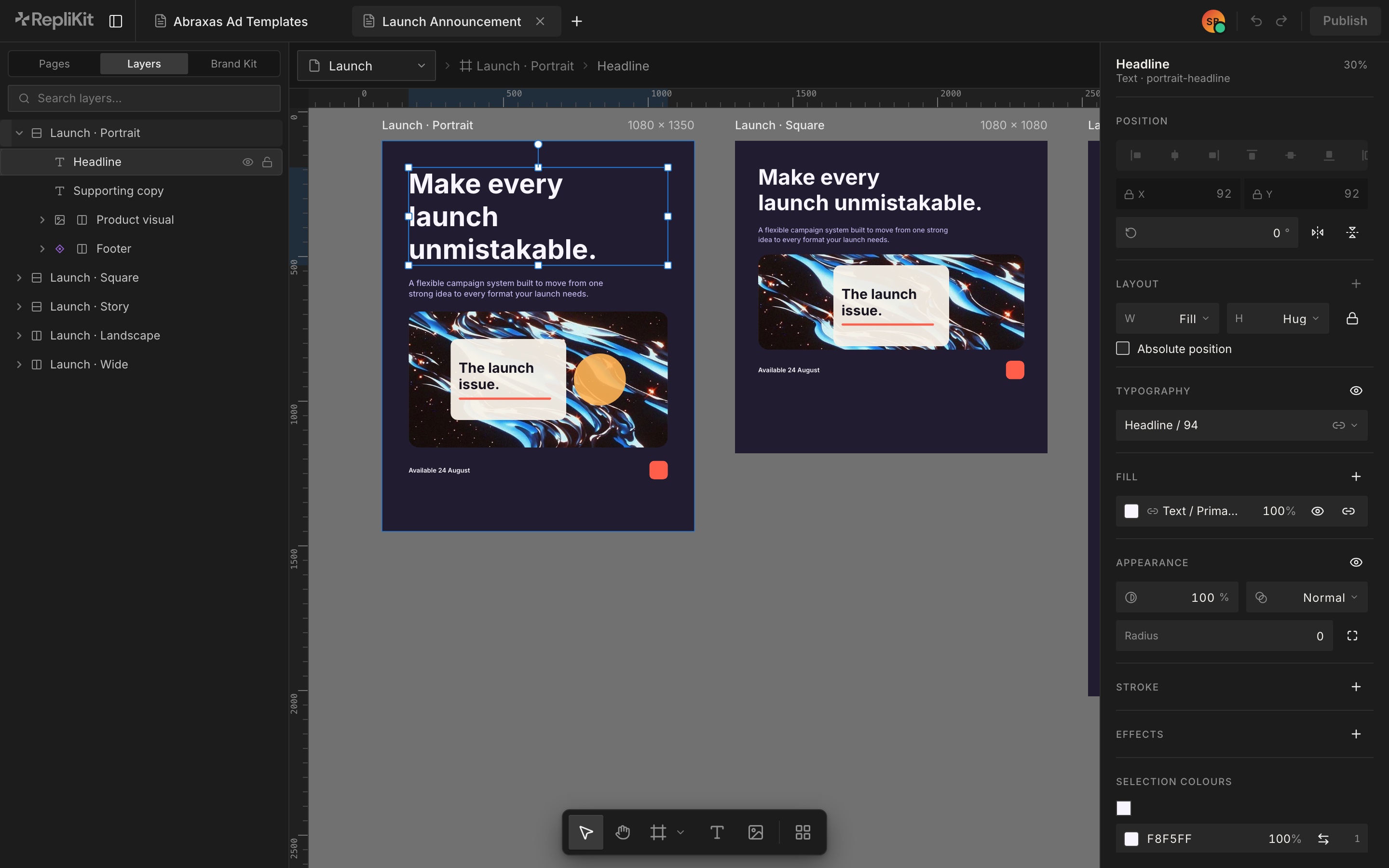
Smart layers are how a designer hands over control without handing over the file. A smart layer is a typed slot: smart text for a headline or an offer line, an image slot for a product shot. Someone fills the slot, and the type, colour, layout and logo around it hold.
The master owns the rules. Smart text carries a setup prompt and an exact character count, and production rejects anything that doesn’t fit. Smart image carries an aspect ratio, focal points and a source, like a DAM, an upload or a model. A placement can change its sample content, but it can’t break the rules.
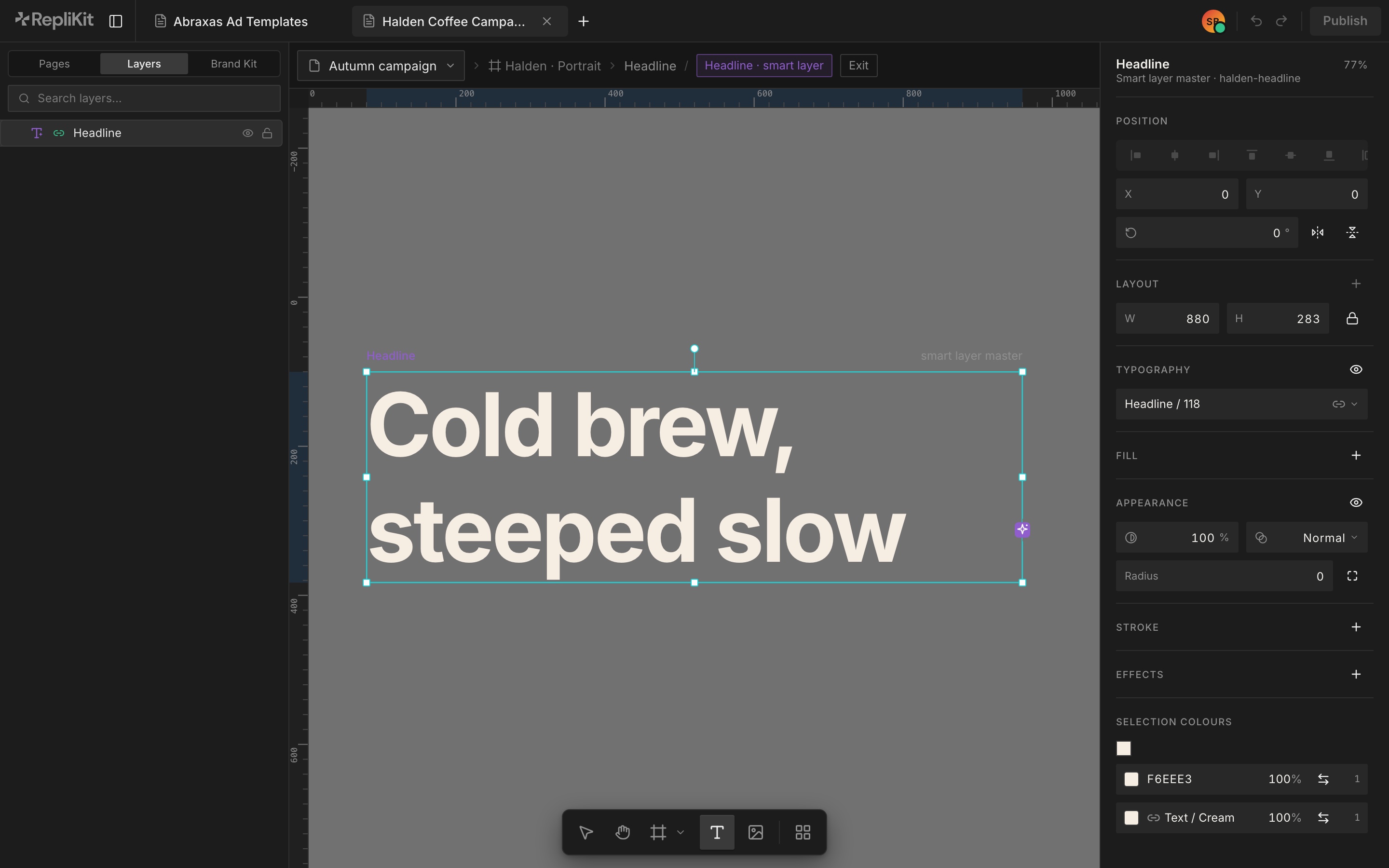
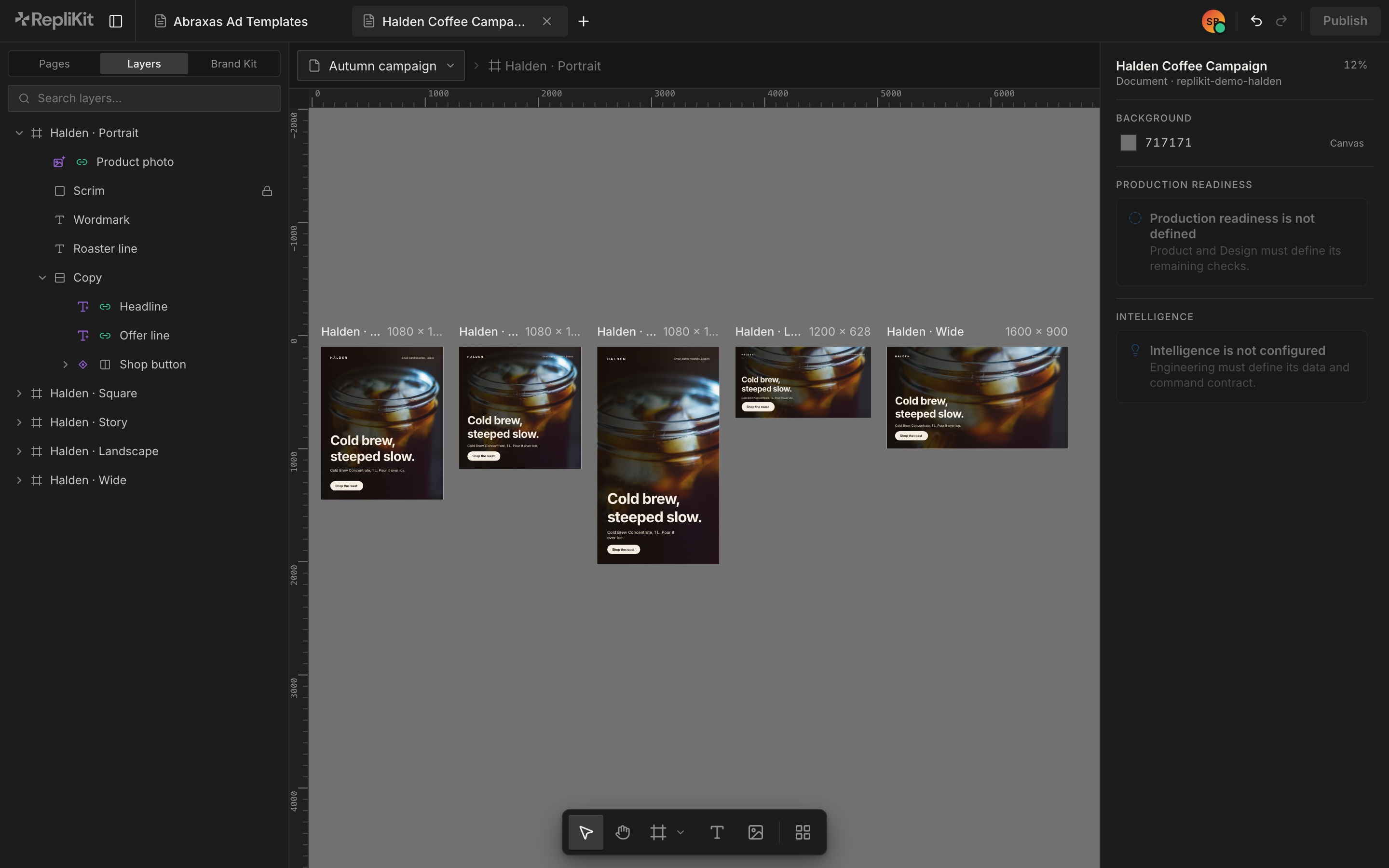
First, the headline smart layer is open in edit mode, and the new line is typed once. Then all five formats show the new headline, product image and offer line, and the layout doesn’t move.
Template library
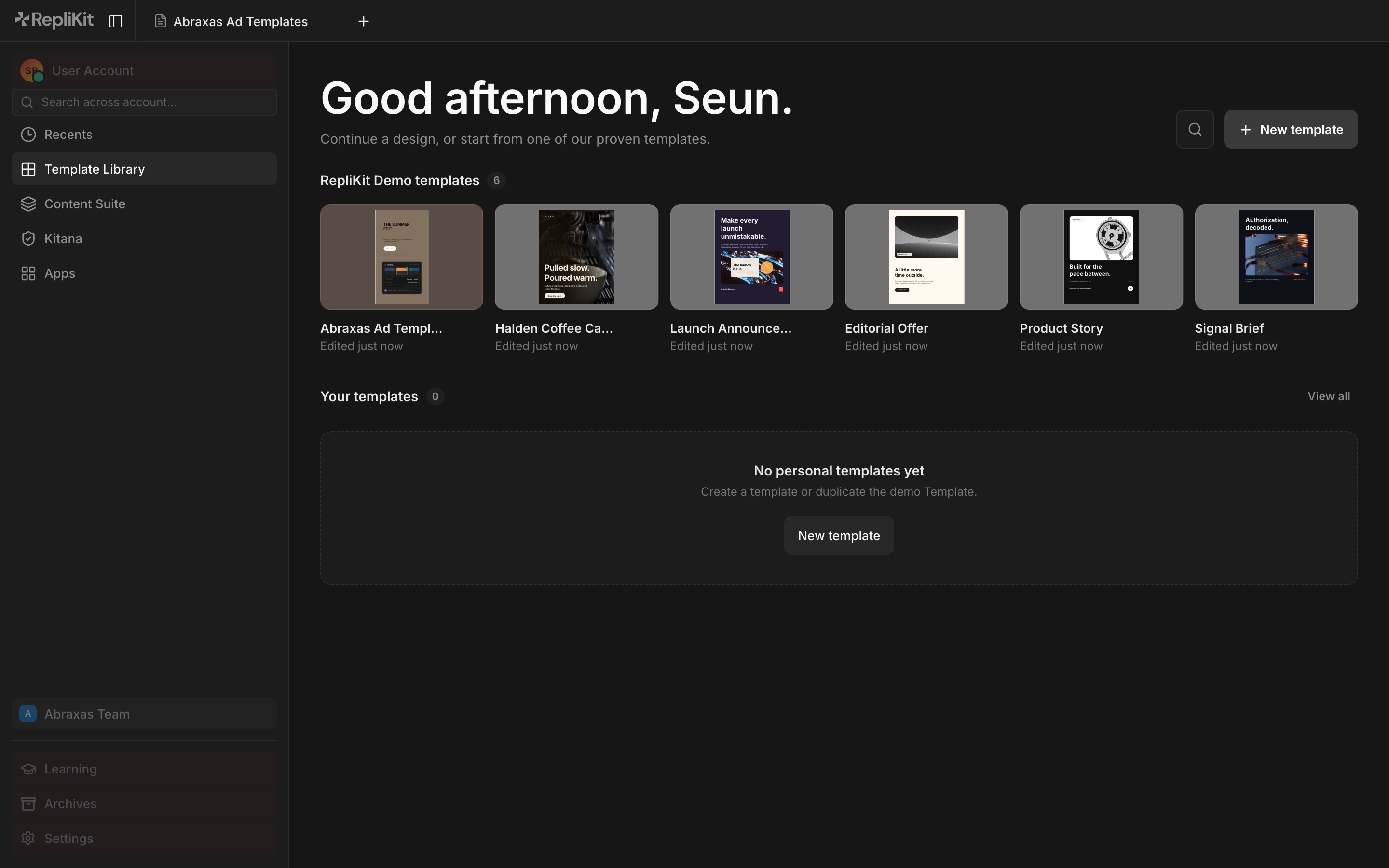
Designers start in the template library. It holds their recent work, the demo templates and the team’s own templates. It’s also where a designer checks a template and publishes a version to the Content Suite.
Content Suite
The Content Suite is where everyone else works, and it has no design canvas. A marketer starts from a published template, a brief, a table or a CSV file. Kitana maps that source to the template’s smart layers and produces the assets. Then Kitana reviews each one before it can export. They share a name, but they’re different models with different jobs. The one that reviews explains and recommends, and never fixes its own findings.
When an asset fails, the producing Kitana gets three automatic repair attempts. After that, the marketer gets one guided retry, and a second failure goes to a designer. Assets that pass can export while the failed ones stay in repair.
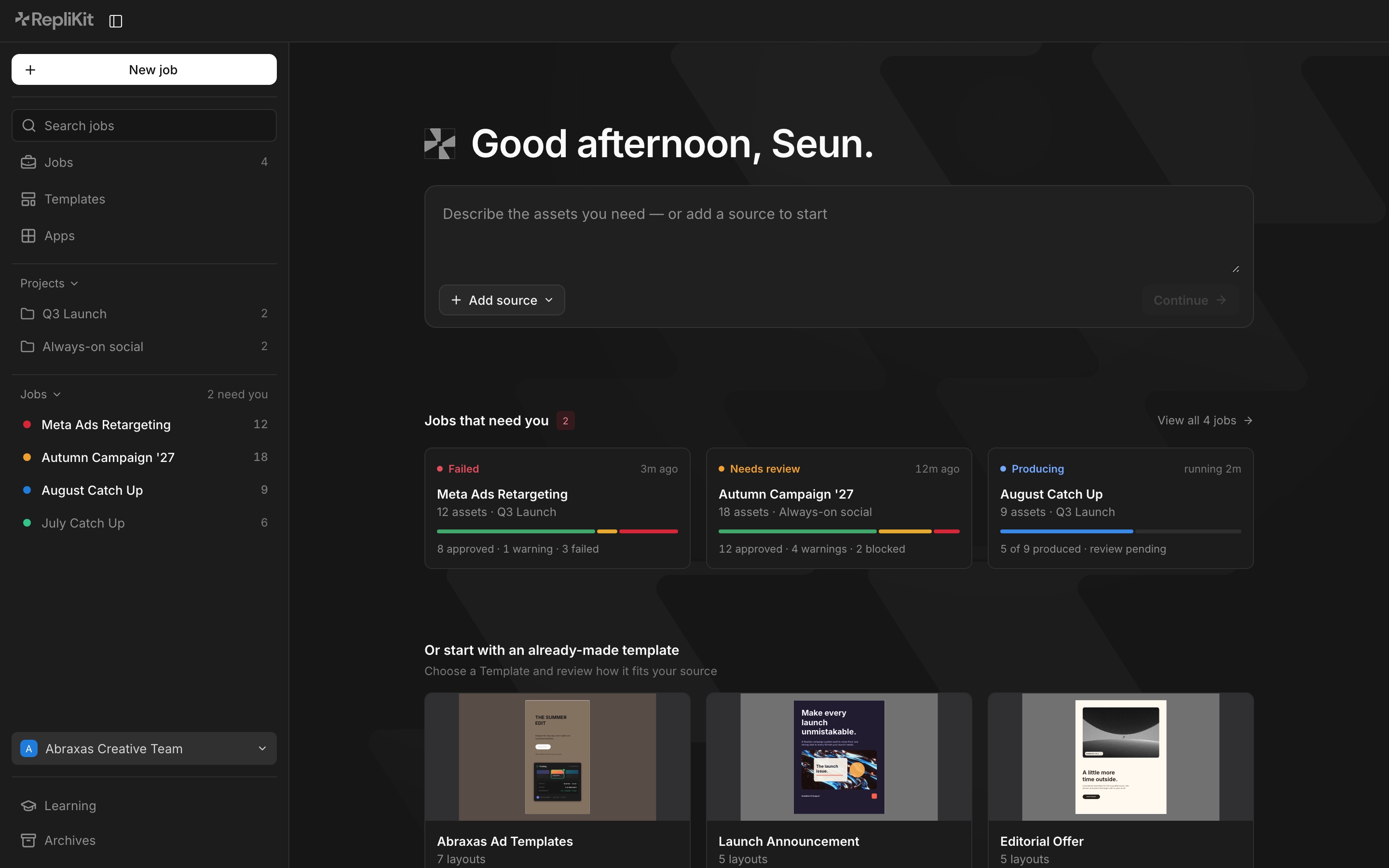
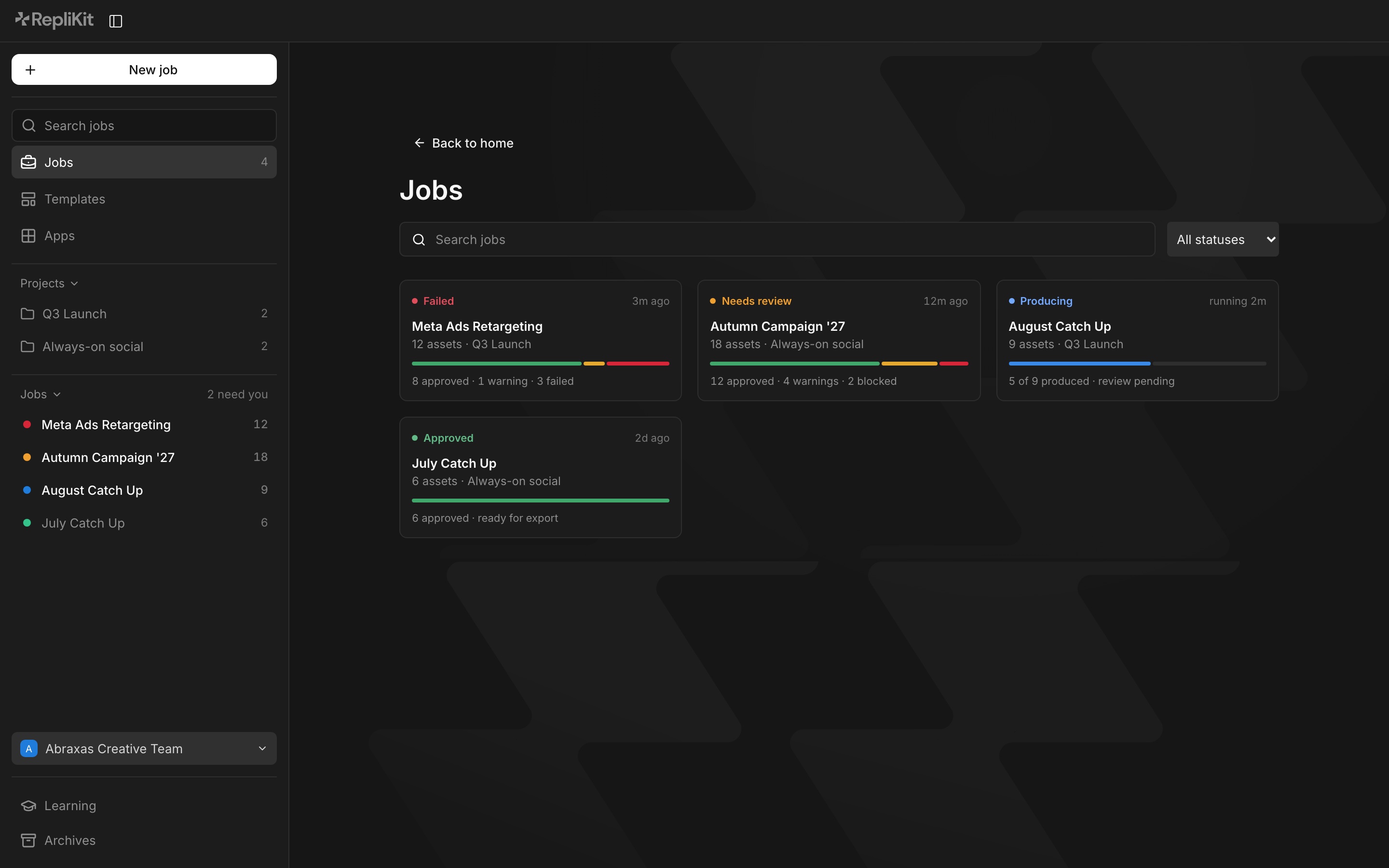
Kitana
Kitana is the agent inside RepliKit, and it does two jobs with two different models. One produces and repairs assets inside the smart layer rules. The other reviews them against the brand kit across colour, typography, logo, layout and overall coherence, and in the Content Suite it checks every asset before export. Kitana Lite is the standalone review product. Read the Kitana case study.
How I test it
These are the questions I keep asking the system:
- Can a designer see what will stay editable before publishing a template?
- Can a marketer make a valid asset without learning how the original file is built?
- Does every Kitana finding point to evidence in the submitted asset?
- Can a reviewer see why a score changed between versions?
- Do the constraints protect the brand without making production brittle?
I’m not trying to take designers out of creative production. I want their decisions to reach further, and I want the output to be easier to review before it ships.
Where it is now
The RepliKit Figma plugin and the Kitana Lite public beta are live. The plugin now reaches Kitana too, through a review tab and a review gate that runs before export, and one RepliKit Pro plan covers both. On the platform, the editor is in active development, with its Design module as the current focus. The Content Suite front end is built on sample jobs while the production workflow behind it takes shape.
Kitana’s score is a direction, not a claim of objective quality. Right now I’m testing whether every finding stays grounded in the brand kit across different brands, asset types and review channels. That evidence has to get more reliable before Kitana carries more production decisions.
Outcome
- Released the RepliKit Figma plugin, the first version of RepliKit, where designers lock a Figma template and teams fill in its editable fields.
- Launched Kitana Lite in public beta with reviews across colour, typography, logo, layout and coherence.