Enverus
A self-serve brand production system that let non-designers make on-brand video.
Enverus is an energy-data company, at roughly $500M in annual recurring revenue before Blackstone acquired it. From 2022 to 2025 I worked with its marketing team on contract, across motion, 3D, brand and production design.
Marketing needed a steady flow of routine videos and assets, and design was the bottleneck. The real problem was autonomy without brand drift. I had to decide what could safely be self-served and what still needed a designer, then build the guardrails.
StoryKit, the system
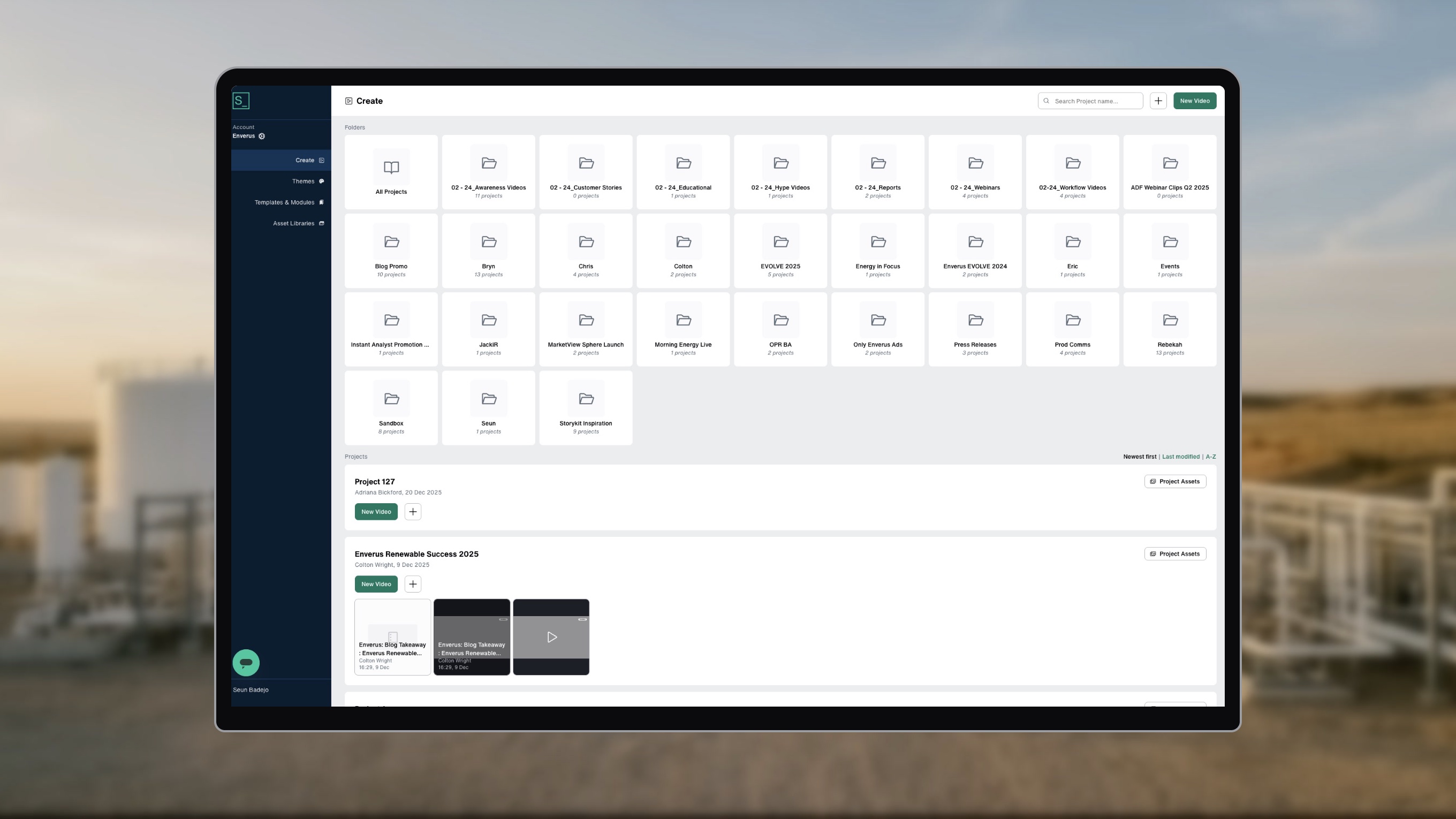
I set up StoryKit, a browser-based video tool, as a self-serve production system for the marketing team. It has four parts: themes, asset libraries, templates and modules, and project folders.
Themes lock the fonts, colours and logo. Asset libraries hold the approved backgrounds, headshots, icons and footage. Templates and modules give people a tested starting point. Project folders keep each team's work in one place.

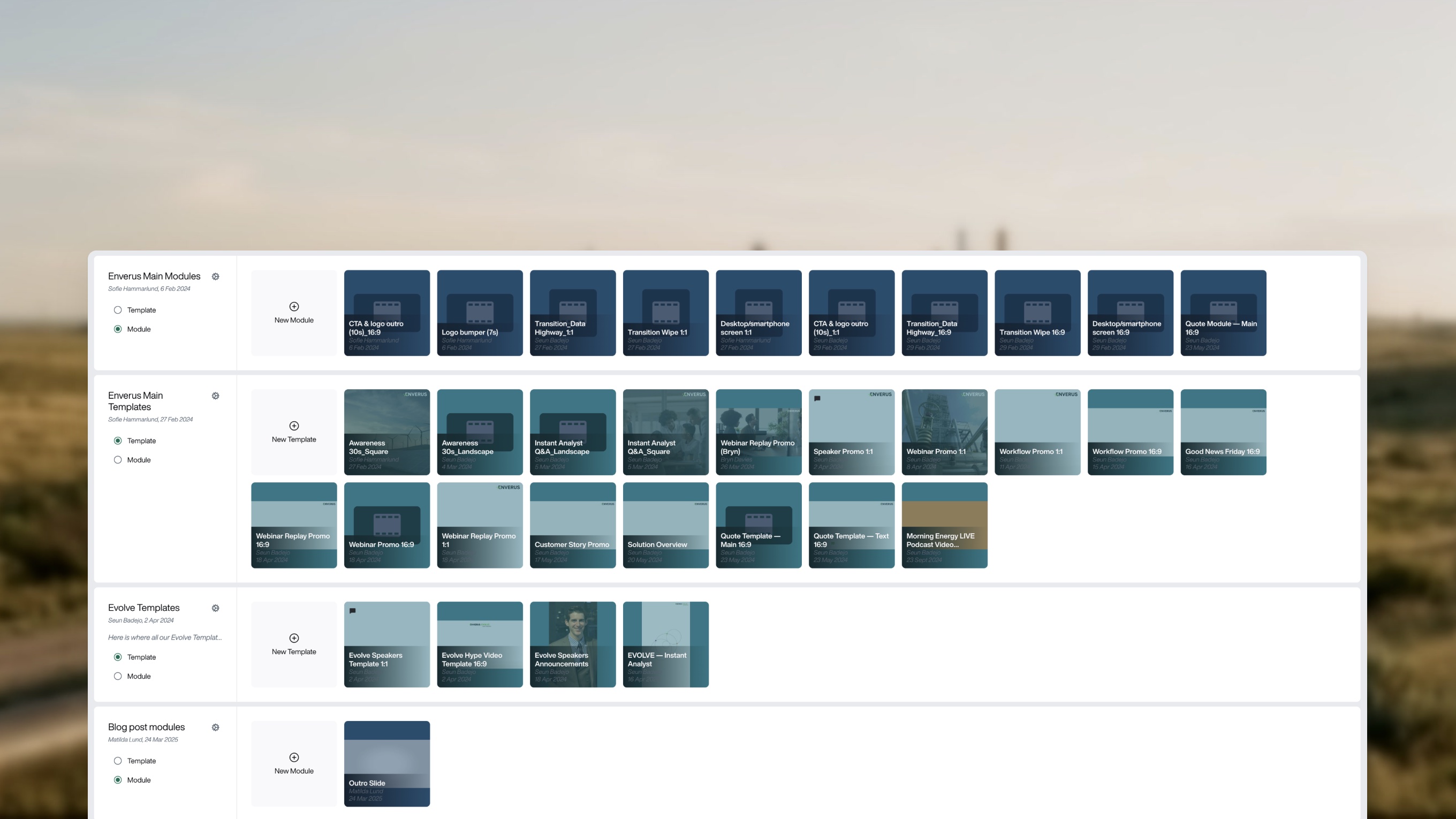
Modules are the reusable parts inside StoryKit. This is the Evolve 2025 StoryKit module. Others cover the logo outro and desktop and phone screens, so every video ends and frames product shots the same way.


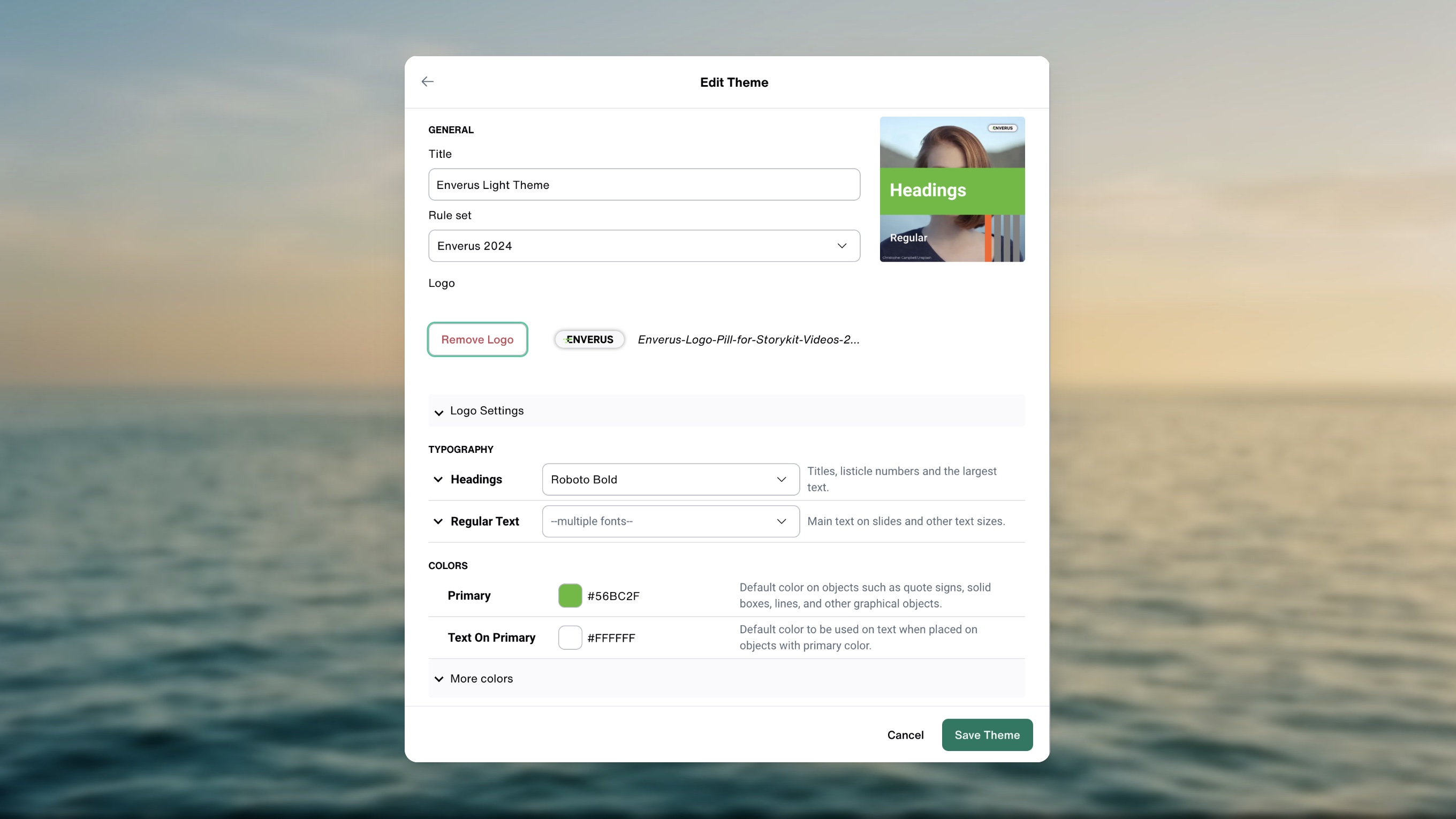
Themes do the brand work up front. Choose Enverus Light and the Roboto type, the green and the logo are already set before anyone types a word.
Templates with guardrails
A template is only safe if the story inside it is already right. Each video template follows a set story arc, so a marketer starts from a structure that works and only fills in their part.
There were three arcs, one for each common format: customer stories, workflow videos and general videos.

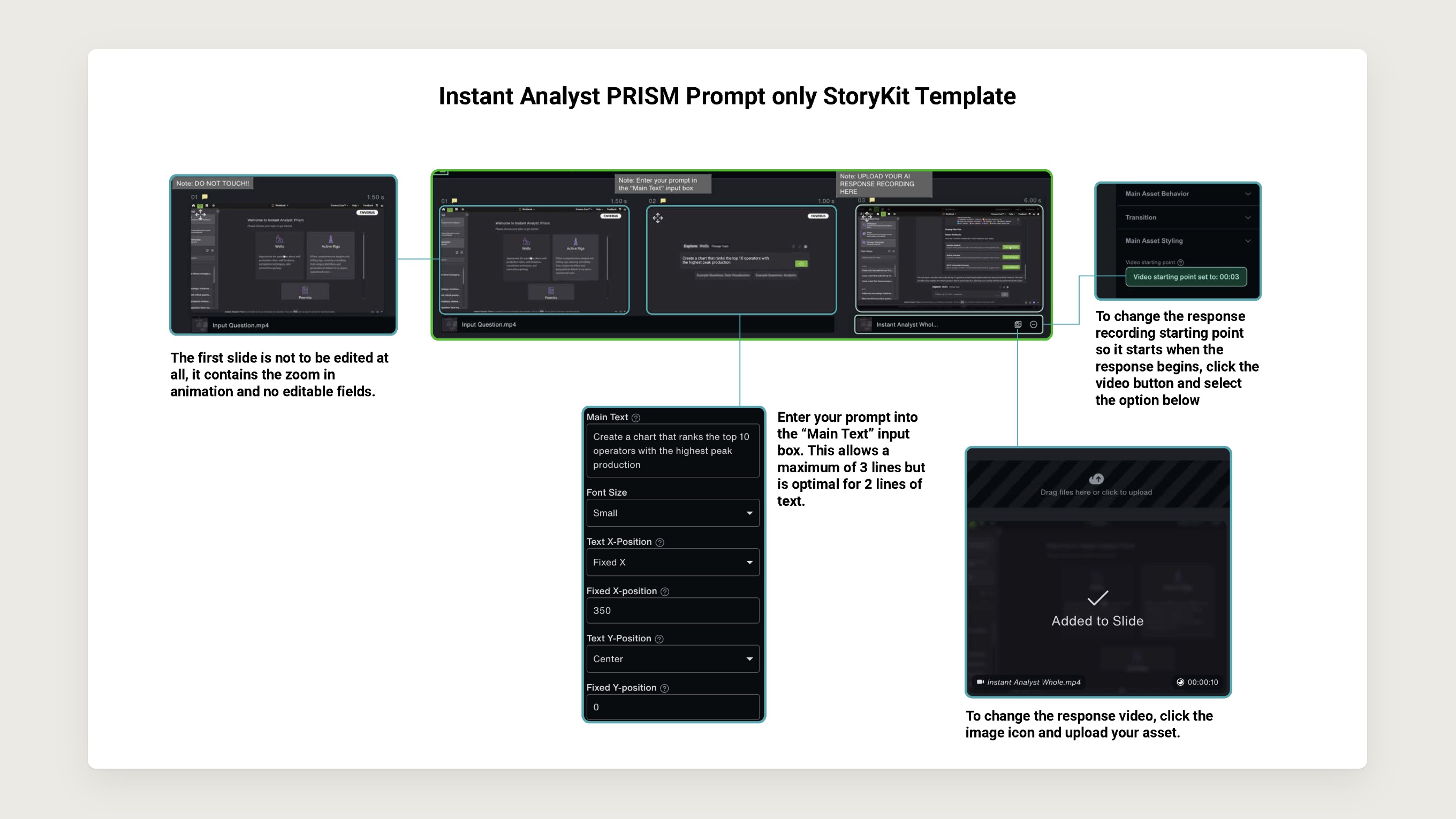
Templates came with instruction sheets, like this one for the Instant Analyst PRISM template. Each sheet shows which slides are locked, which fields to fill and how much text each one can hold.
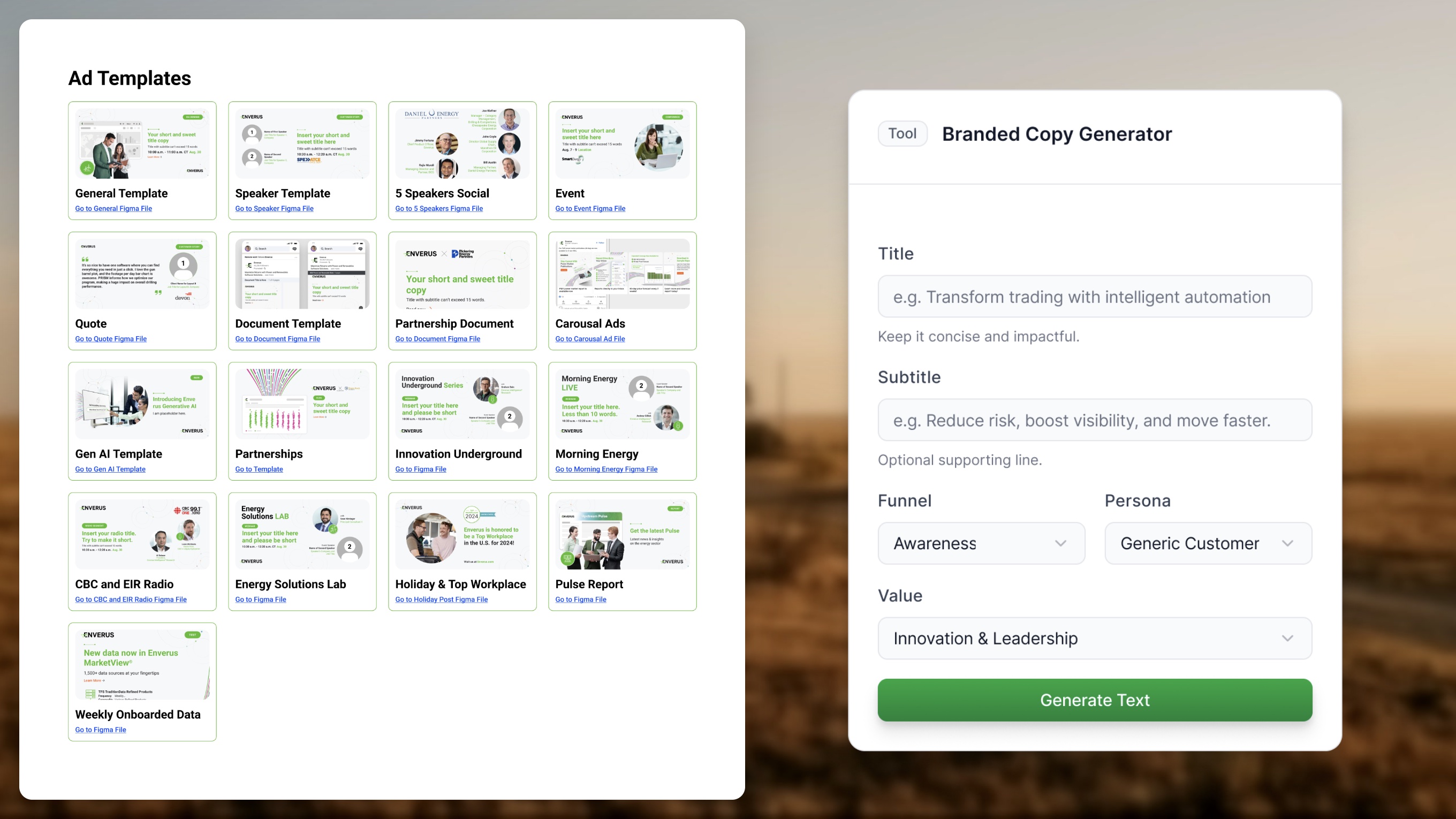
The same thinking carried over to static work. I helped shape the concept for the Figma ad and campaign templates the team built, so non-designers could fill them in on their own, from speaker cards to partnership posts.
Copy Sidekick shipped alongside those templates. It's a Figma plugin I contributed to that lets marketers generate on-brand copy right next to the design: add a title, pick a funnel stage, a persona and a value, and it writes copy that fits the template.
Training is part of the system
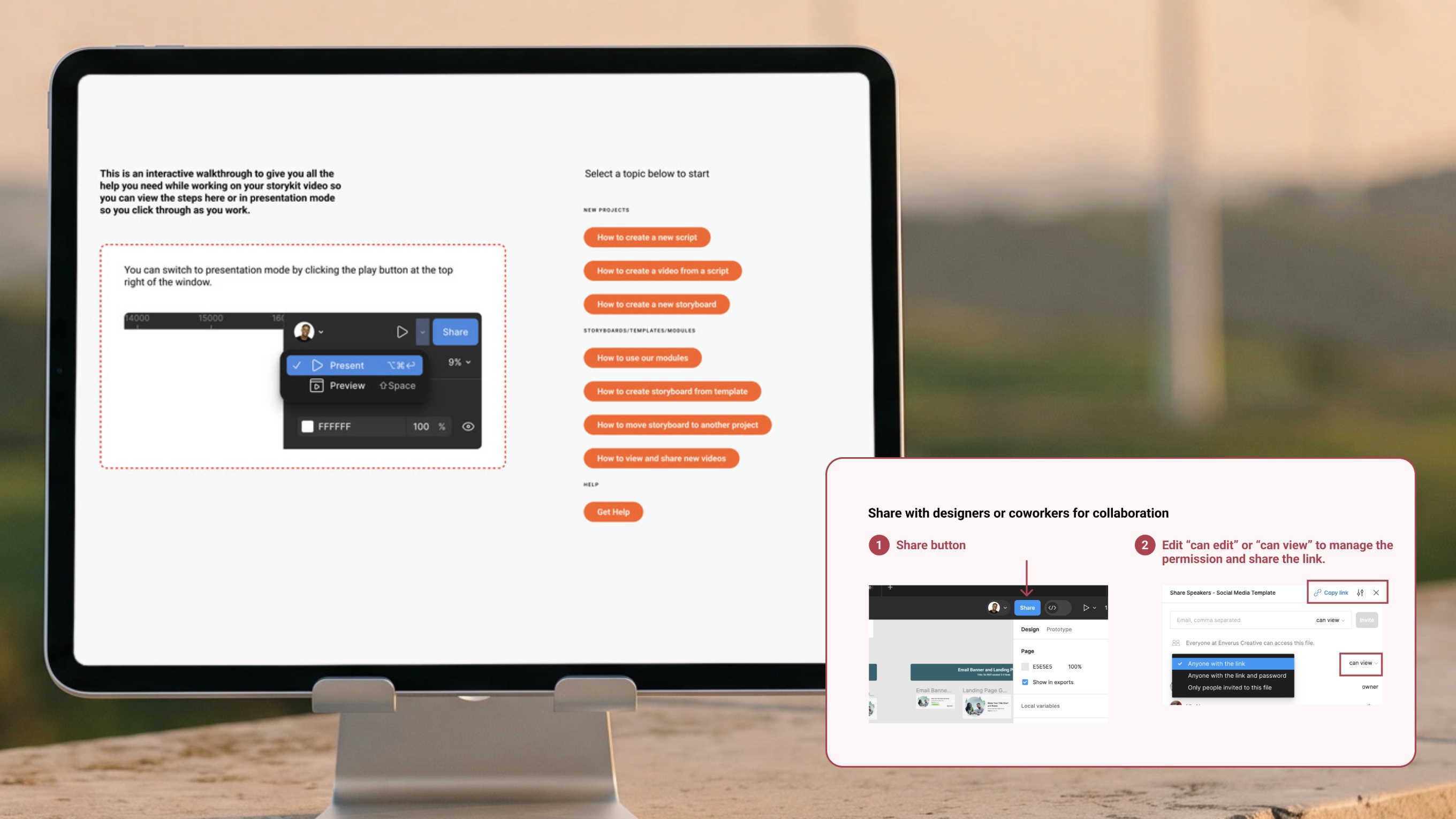
Self-serve only works if people know how to use it. I made an interactive How To guide that people could click through while they worked, with one short walkthrough for each task, from creating a script to sharing a finished video.
The Figma templates got short guides too, like how to share a file and set who can edit it.
Results
The first numbers came from an internal review two months in. The later numbers compare video output year over year.
EARLY
First two months
30 min
to an hour to make a video
Down from about 2 weeks
18+
videos made and posted
On LinkedIn alone
LATER
Year over year
+42%
video output
About 158 more videos,
made by non-designers
~90%
less production time
From 2 weeks to about 30 minutes
~50%
faster asset turnaround
+150%
event production capacity

The clearest sign of adoption was how people started a video. Starting from a template or an existing storyboard means reusing the system. A blank start didn’t mean working without it either: people imported my templates and modules into a blank storyboard so they could recompose the blocks freely. In October 2024, 61% of full renders started from an existing storyboard. In April 2025, all of them did.
Redrawn from two dashboard exports. There is no data for November 2024.
Evolve
Evolve is the Enverus conference. Event work is high visibility, so designers kept ownership of it. For Evolve 2025, I helped the team design the 3D artifacts in Blender and the concepts built on them. It was the last thing I worked on before I left. What I left behind was a system: the wonderful design team at Enverus expanded it in production and carried it across motion, print and static work for the whole event.
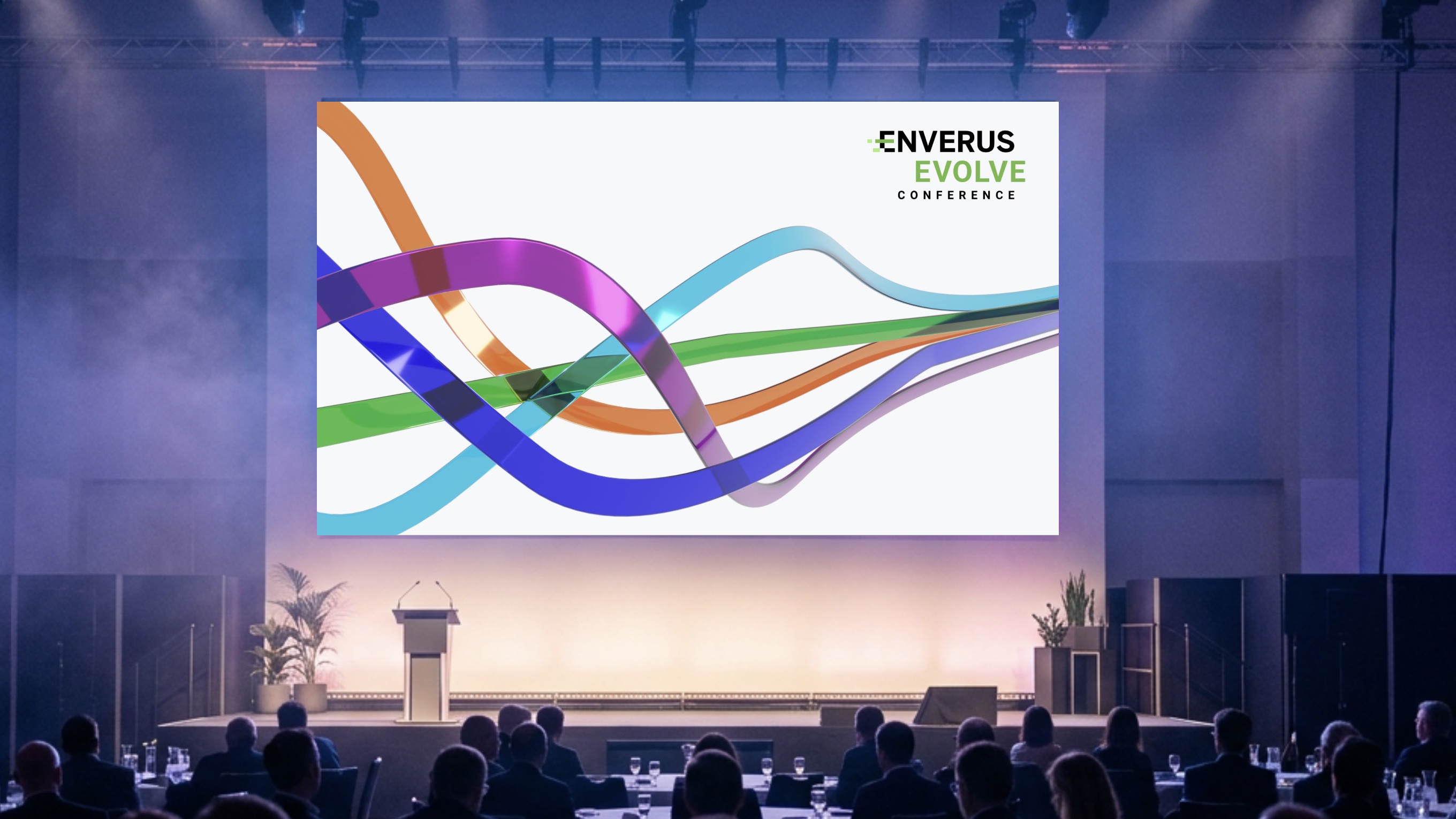
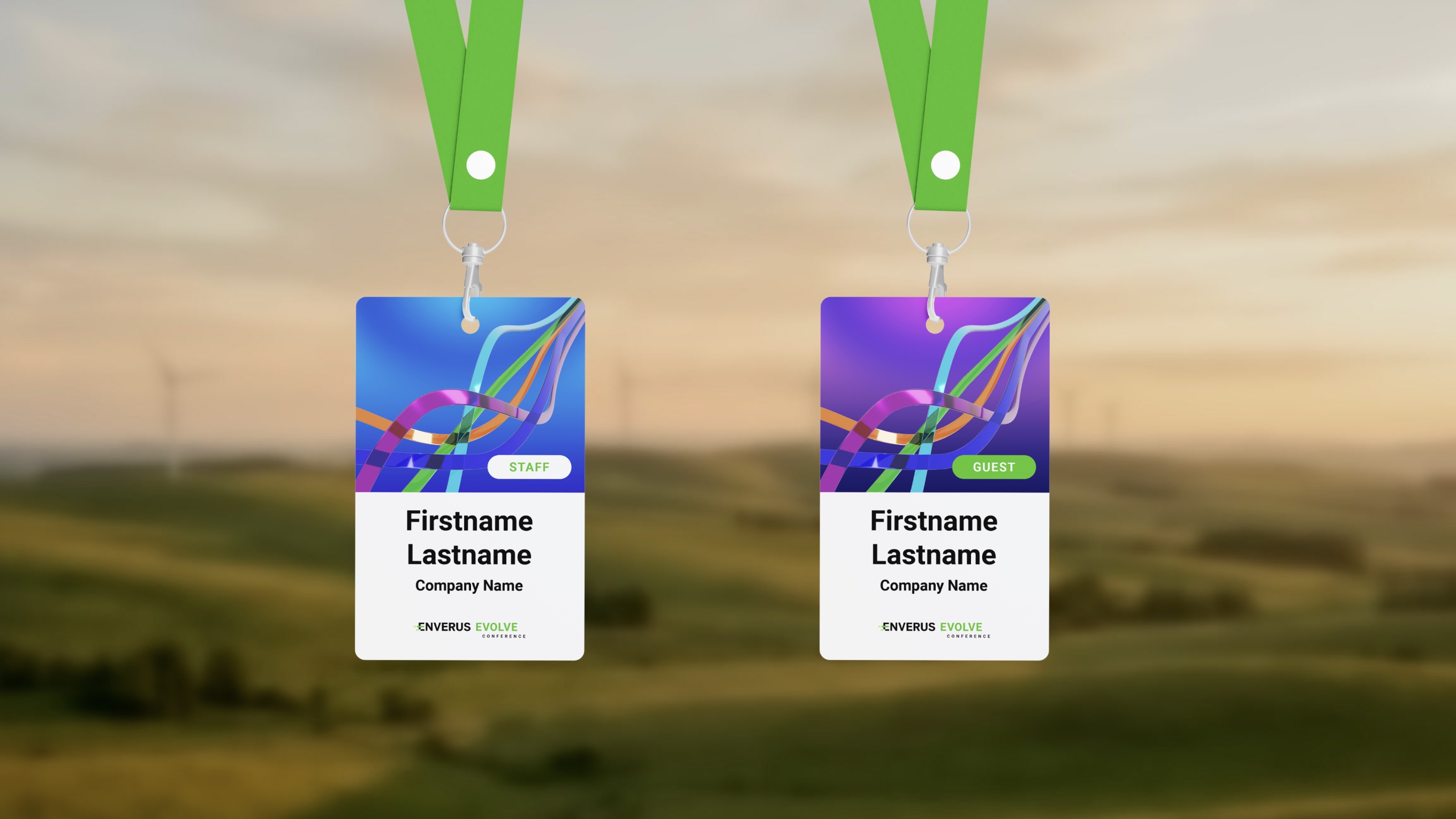
The MOGRTs were part of my Evolve work, and they sped up production that was otherwise slow. The speaker intro is a Premiere template: a designer drops in a photo, a name and a title, and the motion is already done. That one template produced the intros for all 19 keynote speakers.

The speaker intro on stage at Evolve 2025, run by the event production team.
The Morning Energy LIVE intro, a StoryKit template.


Blog to video, and AI tools
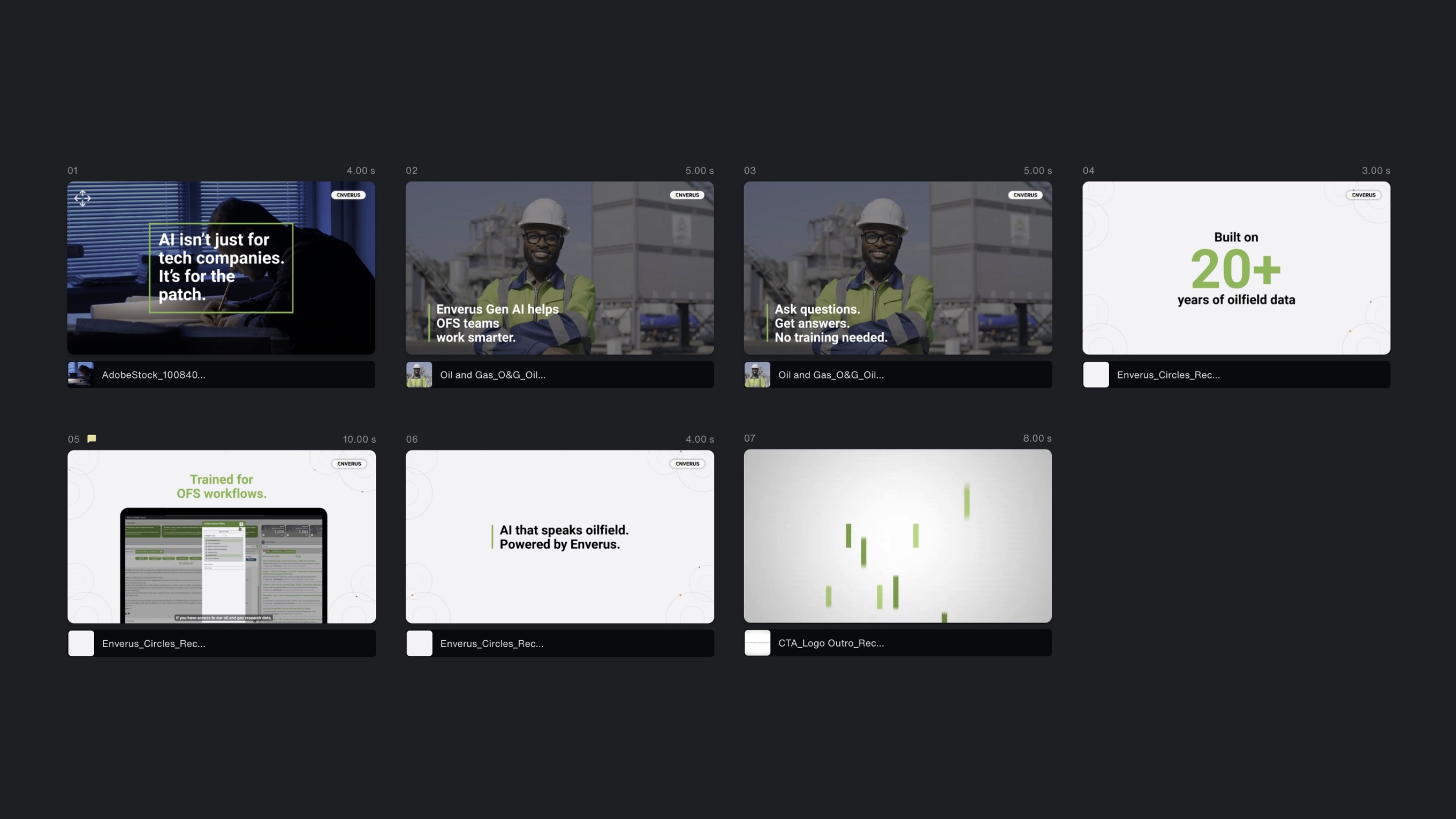
Blog to video was the next step for StoryKit, and it only happened because the system worked. A blog post becomes a short storyboard, built from the same templates, modules and locked blog assets.
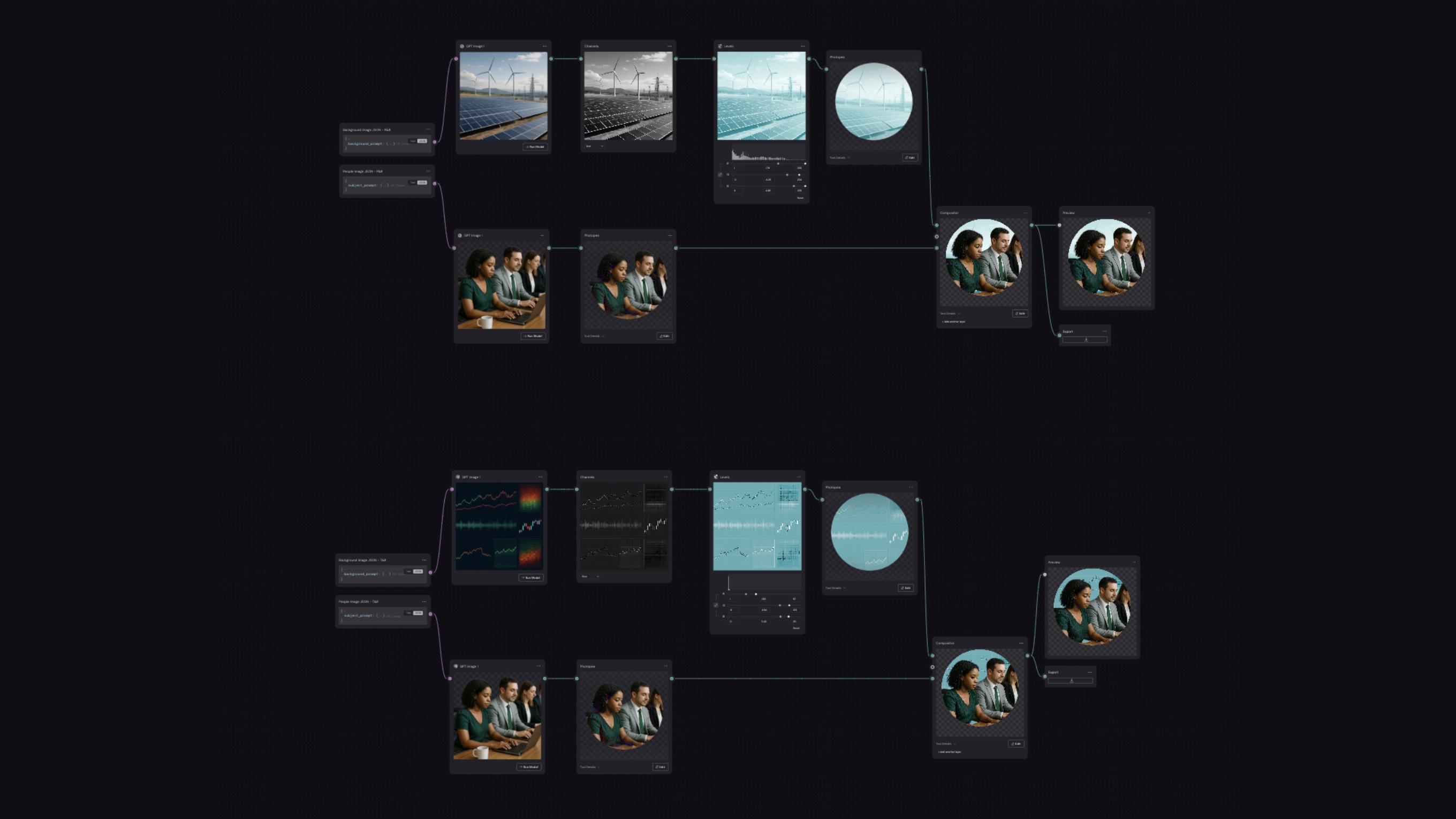
Around it, I built an image maker for marketers. It places people over energy backgrounds and gives every result the same colour treatment.
What I learned
Self-serve is a system design problem, not a template problem. The work was deciding what people could safely make on their own, what needed a designer, and building the guardrails between the two.
Training has to be part of the system too. A template nobody knows how to use is just another file. The guides, locked slides and instruction sheets are what made the templates safe to hand over.